Learning Odin - Installation and Hello World! Program
Learning Challenge - Day 1/50
This is a 50 Days challenge to learn something new everyday for 45Mins without relying much on AI.
Started Odin Programming Language and I’m promising my future self that I’ll build something exciting with Odin by the end of this Challenge
Installation
I’m working on my HomeServer (Ubuntu Server) by connecting remotely to my VSCode on my Windows Machine. So, everything will be same as I’m using a linux machine.
Essentials
- Install clang, llvm and llvm-devel
- Why? Check the note after the commands
sudo apt-get update
sudo apt-get upgrade
sudo apt-get install clang llvm llvm-devel build-essential
sudo apt-get update
- Close the terminal and open a new one
- Verify the installations
clang --version
llvm-config --version
Installing Odin now
- Clone the official Odin from GitHub by
git clone https://github.com/odin-lang/Odin
- cd to the directory and make the install
cd Odin
make release-native
- To made odin available from anywhere to run it as an executable. Export the path to your bashrc or zshrc
echo 'export PATH="/full/path/to/Odin/folder:$PATH"' >> ~/.bashrc (or) ~/.zshrc
Refer and follow Official Documentation if you’re confused or see any errors
Hello World!
👏🏻🎉 Yay! If you reached here without any issues. You’ve successfully installed Odin language and we’re ready to go.
- Create a Project Folder
mkdir learn-odin && cd learn-odin - create a file named
.odinand add the following code
package main
import "core:fmt"

main :: proc(){
    fmt.println("Hello World!")
}
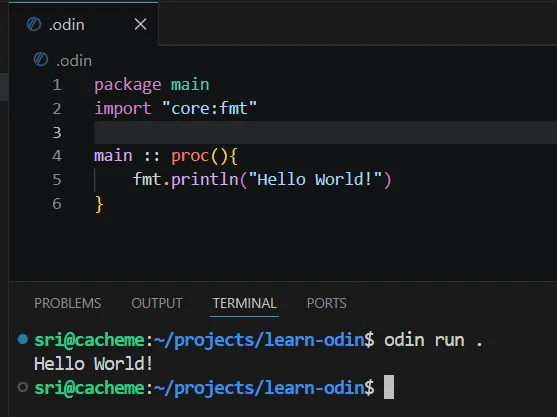
- Run the program
odin run ./
-
Odin by default thinks in terms of directory-based packages and it expects a .odin file for that directory. So, when we run, it compiles all the files in that directory into a package and then tunrs that into an executable.
-
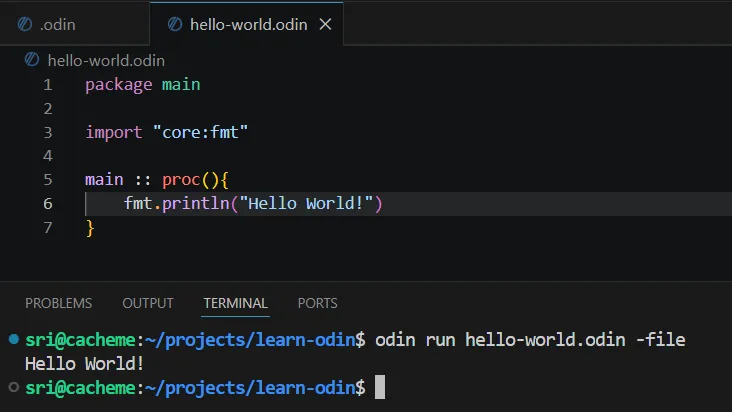
Alternatively, if we want to create a single odin and run it as a file. Rename or create a new file say
hello-world.odinand with the same code inside the file, runodin run hello-world.odin -file
Voila! We just wrote our first Odin file and executed it. Yay!
PS: Hey That’s a good start. We still don’t know what’s a package. Why we’re import core:fmt and what those two colons (::) are and what actually the code means. Let’s worry about in the next one